Orren AI · On iPhone first

Prioritize your leads.
Prepare your follow-ups.

Orren AI shows who needs a reply, explains what each lead wants, and prepares messages and tracked links. Spend less time searching your Instagram inbox and more time following up.

From “who needs a reply?”
to a follow-up ready to send.

Here’s how one conversation with Orren helps you take care of a lead.

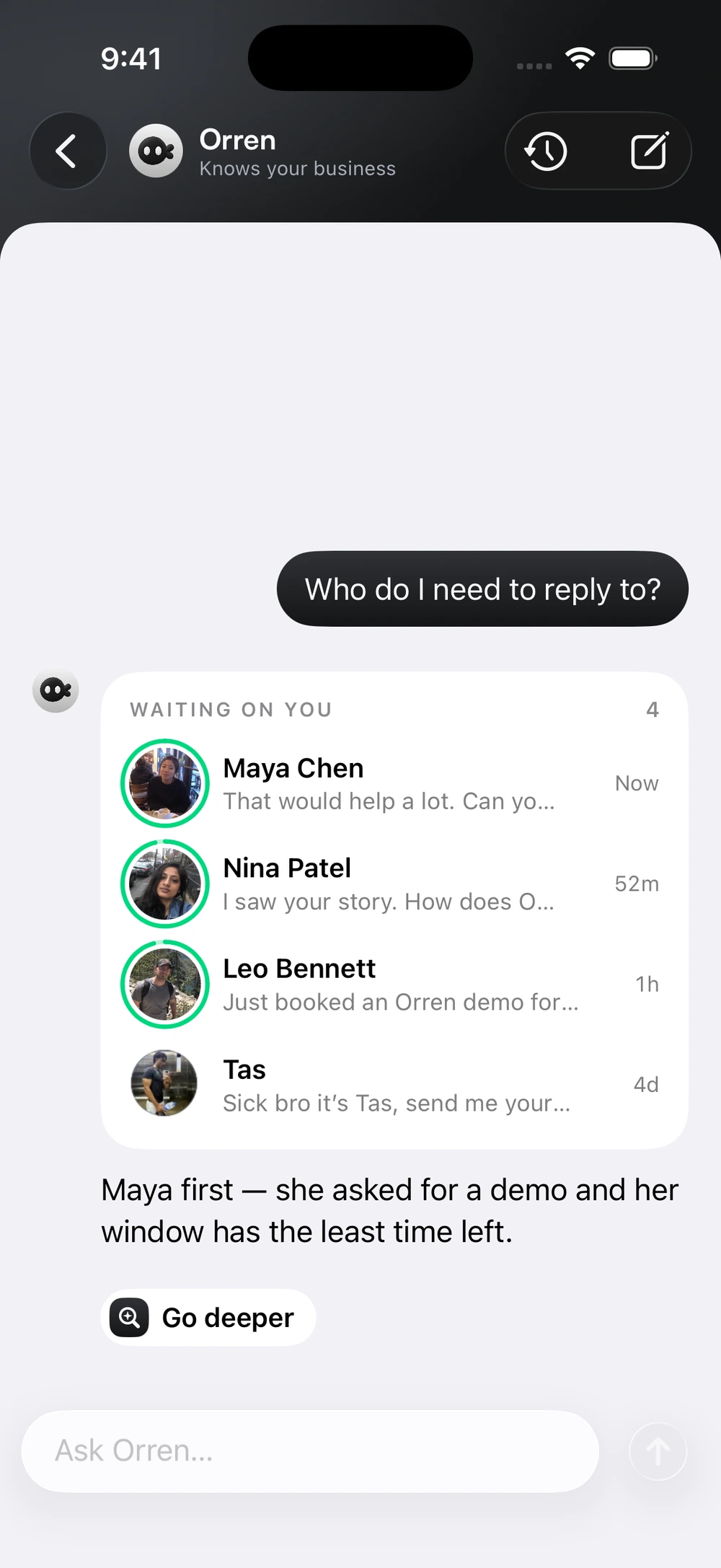
Orren recommends replying to Maya first because she asked for a demo and her reply window has the least time left.

Actual Orren for iPhone · Example lead

Find the priority

Know who to
reply to first.

A new message isn’t always the most important one. Ask Orren who needs you, and see which conversation deserves your attention.

Waiting on you

Maya Chen

Asked for a walkthrough

Reply first
Nina Patel

Asked how Orren works

Maya has asked for a demo. Her reply window has the least time left.

Understand the lead

Get the context.
Skip the catch-up.

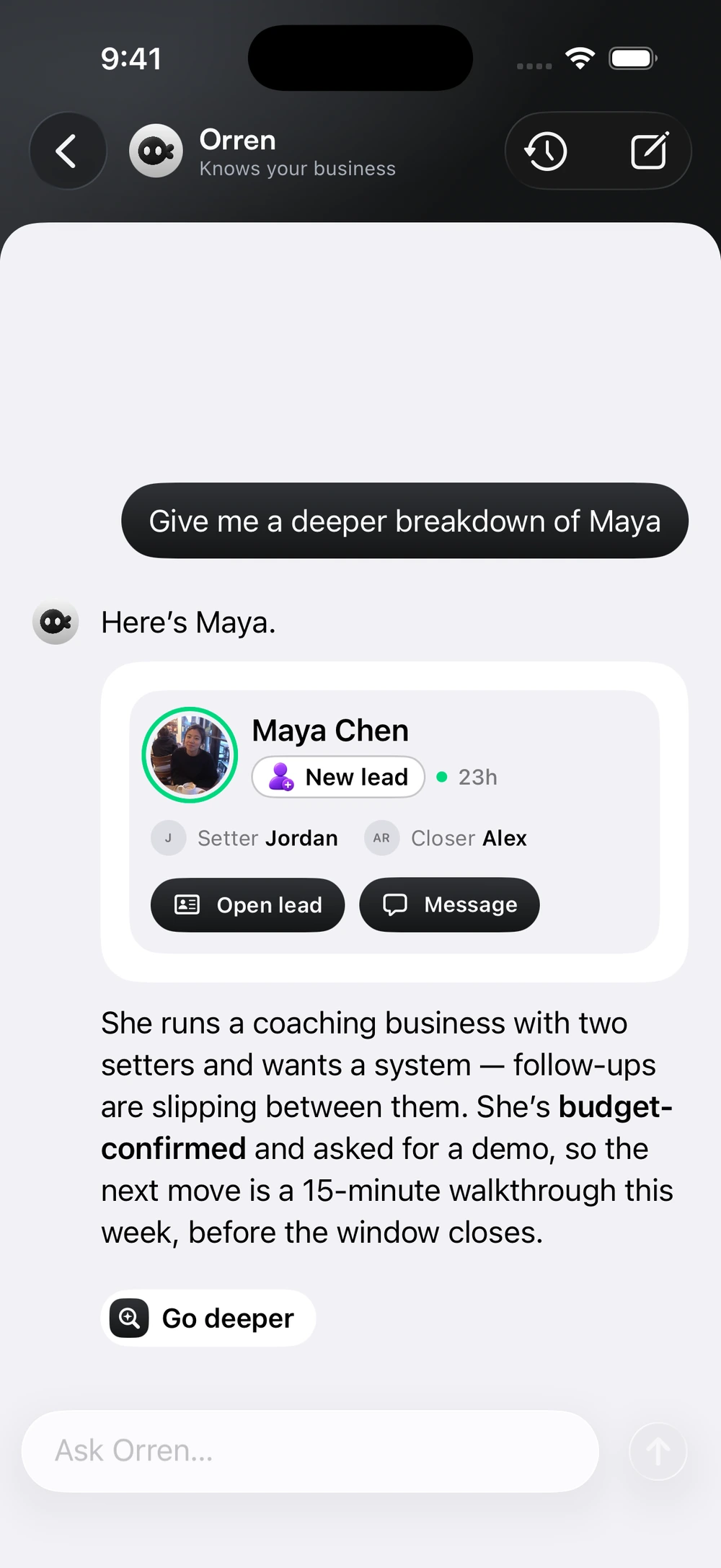
Ask for a deeper breakdown. Orren brings together what Maya wants, the buying signals and who on your team is working with her.

Maya Chen

Coaching business · Team of two

What she needsA clearer way to share follow-ups.

Buying signalBudget confirmed. Asked for a demo.

Your teamJordan, setter · Alex, closer

Suggested next stepA 15-minute walkthrough with her team.
Prepare. Review. Confirm.

Ask for the follow-up.
Orren gets it ready.

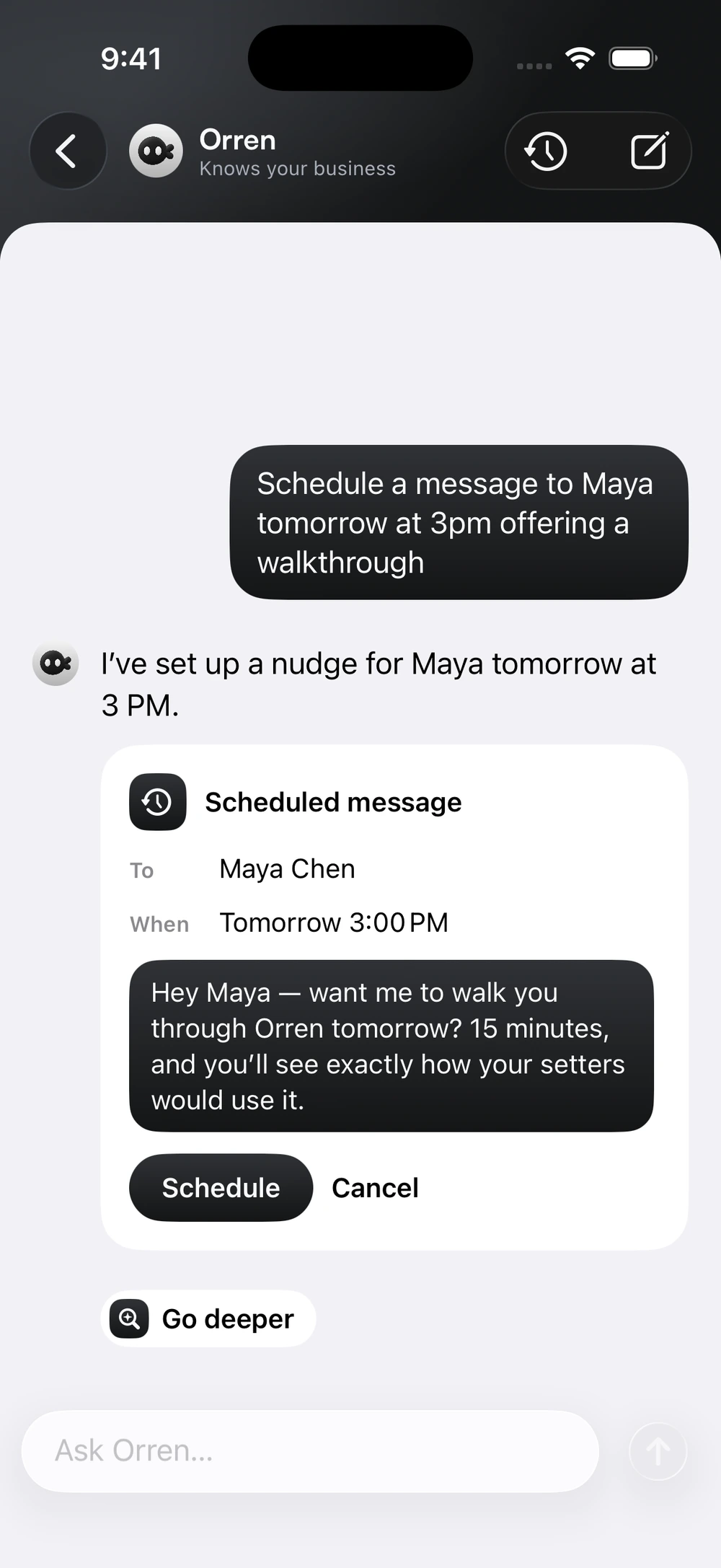
Tell Orren who to contact and when. It prepares the message and schedule in the same conversation. You check the details before confirming.

Scheduled message
Maya ChenTomorrow · 3:00 PM

Hey Maya, want me to walk you through Orren? In 15 minutes, you’ll see how your setters would use it.

Schedule Cancel

Prepared by Orren. Confirmed by you.

Enlarged details illustrate the workflow shown in the app. Example conversations.

What will you ask Orren?

Explore the real iPhone screens. From finding a priority to sending a tracked resource.

Orren AIKnows your business.

See who needsa reply first.

Ask who’s waiting on you. Orren brings up the leads and recommends who to reply to first, using their interest and the time left in the reply window.

Maya first. She asked for a demo, and her reply window has the least time left.

Orren AI lists Maya, Nina, Leo and Tas, then recommends replying to Maya first because she requested a demo and her reply window is closing.

Actual Orren for iPhone screens. Example conversations and actions.

Manage your follow-ups.
Right from your iPhone.

Explore Orren for iPhone

iPhone beta through TestFlight. An invitation and an Orren account with access are required.

A few things worth knowing

Good questions.
Clear answers.

What you can ask. What happens next. A closer look at Orren AI on iPhone.

Something more specific?

Ask us directly
About Orren AI
What can I ask Orren AI to do?

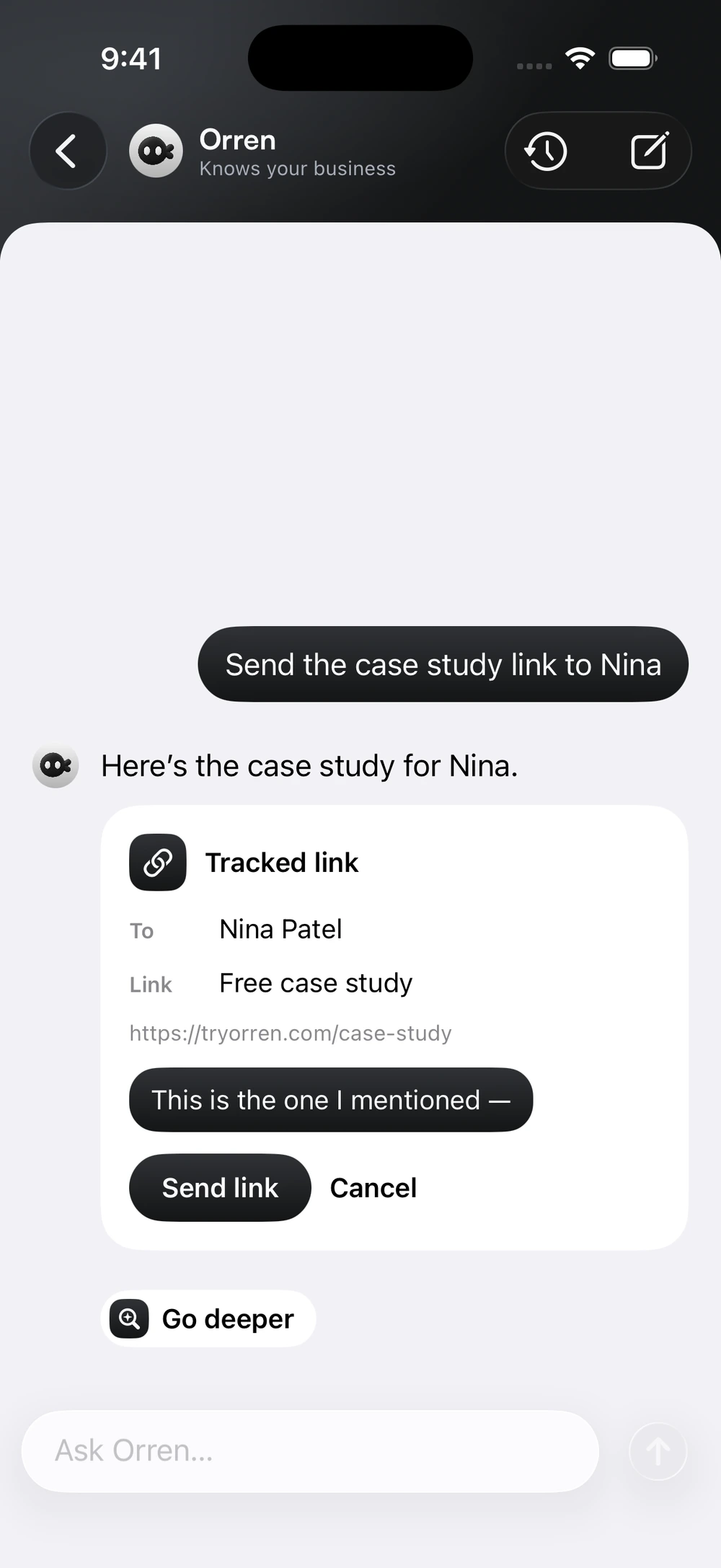
Ask who needs a reply, get a deeper breakdown of a lead, prepare a tracked resource link or schedule a follow-up message. Orren brings the relevant lead details and actions into the conversation.

Does Orren send messages without asking?

In the actions shown here, Orren prepares a draft or tracked link for you to review. Check the recipient, wording and timing, then confirm Send link or Schedule. You can also cancel.

How is this connected to the company brain?

The company brain connects your business knowledge with conversations and lead activity. Orren AI gives you a way to ask about that context and use it to take the next step, without piecing everything together yourself.

Are these features on Mac too?

The new Orren AI experience shown on this page is on iPhone first. These screenshots show the iPhone app, currently distributed through TestFlight. Visit the iPhone page for the current installation and invitation details.

Can a scheduled message go outside Instagram’s reply window?

Scheduling does not bypass Instagram’s messaging rules. A message still needs to be eligible to send when its scheduled time arrives. Keep the lead’s reply window in mind when choosing a time.