


Activity you can trace.
See who sent the message or shared the link. Follow the recorded work back to the teammate involved.
Team · On Mac and iPhone
Talk to your team. Hand off leads. See who’s moving sales forward. Keep the conversations, meetings and context together, without sharing your Instagram password.

Actual Orren for iPhone screens. Example team conversations.
Team notes
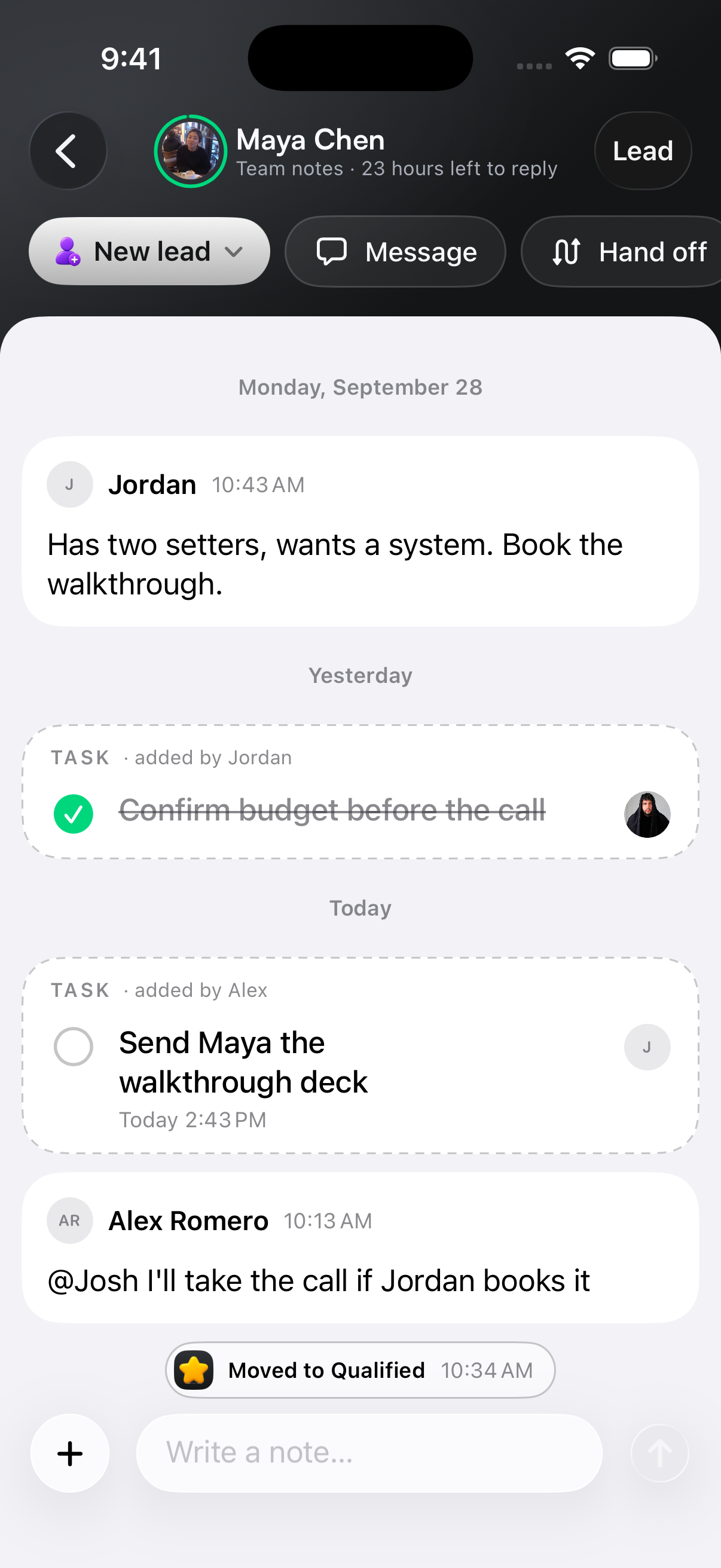
“What did she ask for?” shouldn’t mean searching another chat. Open team notes right inside the lead’s conversation and work through the next step together.
Mention a teammate. Leave context for the closer. Assign a task and see when it’s done. Everything stays attached to the person you’re talking about.

Has two setters, wants a system. Book the walkthrough.
@Josh I’ll take the call if Jordan books it.
A closer look at the team notes in the app.
Keep the everyday conversations in Orren. Dedicated channels and direct messages give your setters and closers a place to coordinate, share leads and keep each other in the loop.
Talk to everyone, coordinate with closers or message a teammate directly.
Share a lead card so teammates can open the profile and pick up the context.
Use mentions, reactions and pinned messages to keep the team aligned.
Team meetings
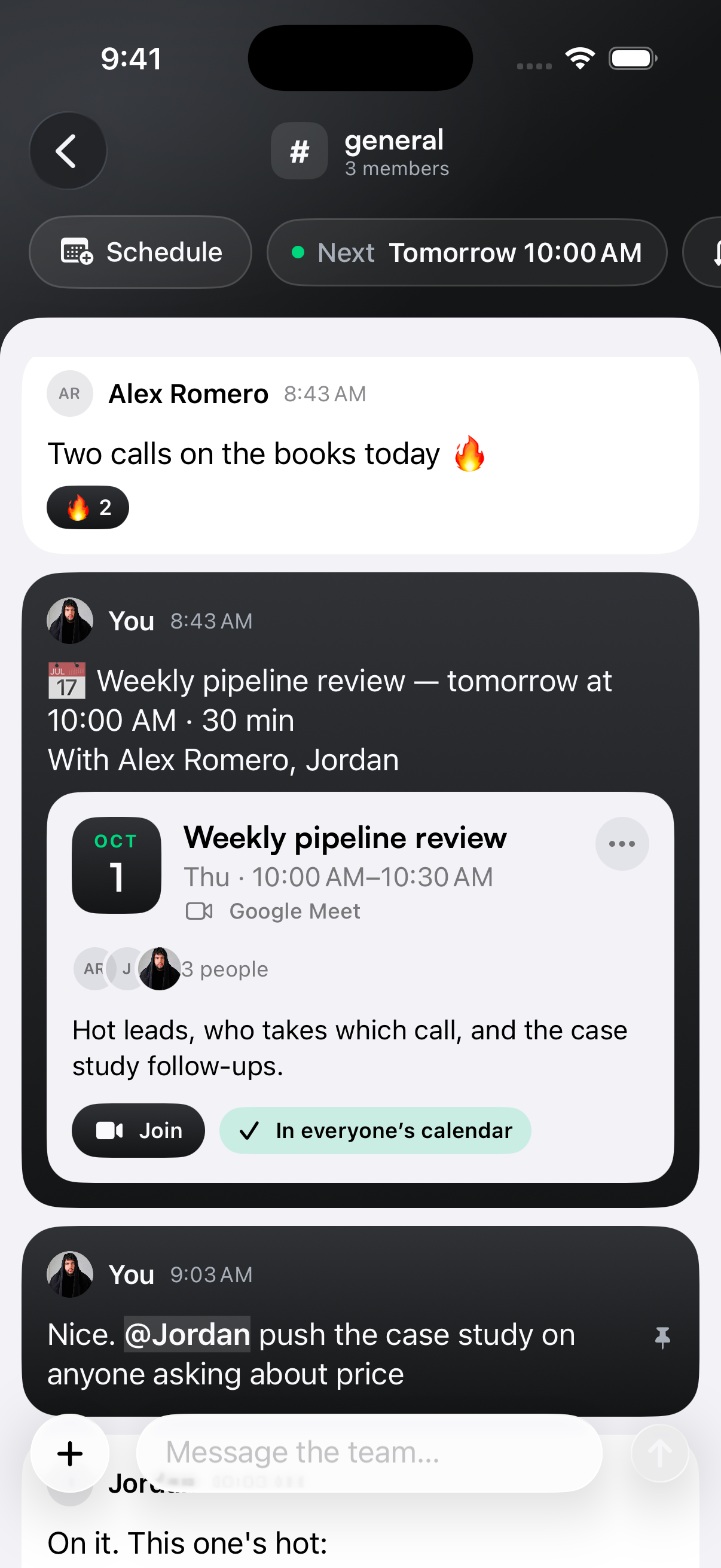
Schedule your sales review from the team chat. Choose who’s coming, add an agenda and keep the meeting beside the conversation that started it.
Connect your business’s Google Calendar for invitations and a Google Meet link. Your team can see what’s next and join when it’s time.
Tomorrow · 10:00–10:30 AM
Alex, Jordan and JoshHot leads. Who takes each call. The next follow-up.
✓ Connected to the team’s calendarsActual Orren for iPhone.
Actual Orren for iPhone.
Lead handoffs
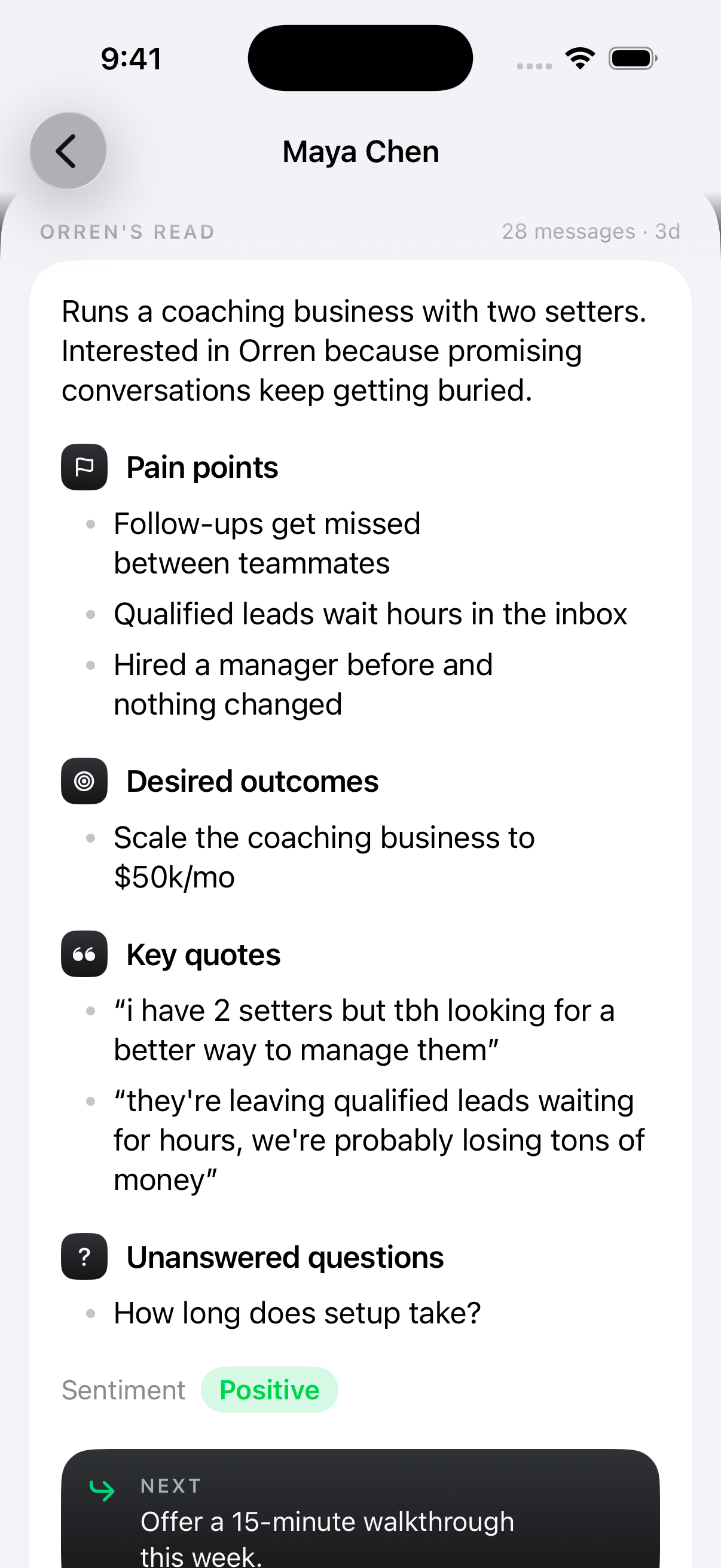
When your setter hands over a lead, your closer can see their pain points, desired outcomes and current objections or open questions. The context is there from the moment they take over.
The original messages, team notes and key quotes stay with the lead, too. Your closer can prepare for the real conversation, without asking the setter to explain it all again.
Follow-ups are slipping between teammates.
A stronger team and room to grow the business.
“How long does setup take?”
Share the lead in your closers channel. Open the profile, check the context and go straight to the conversation.
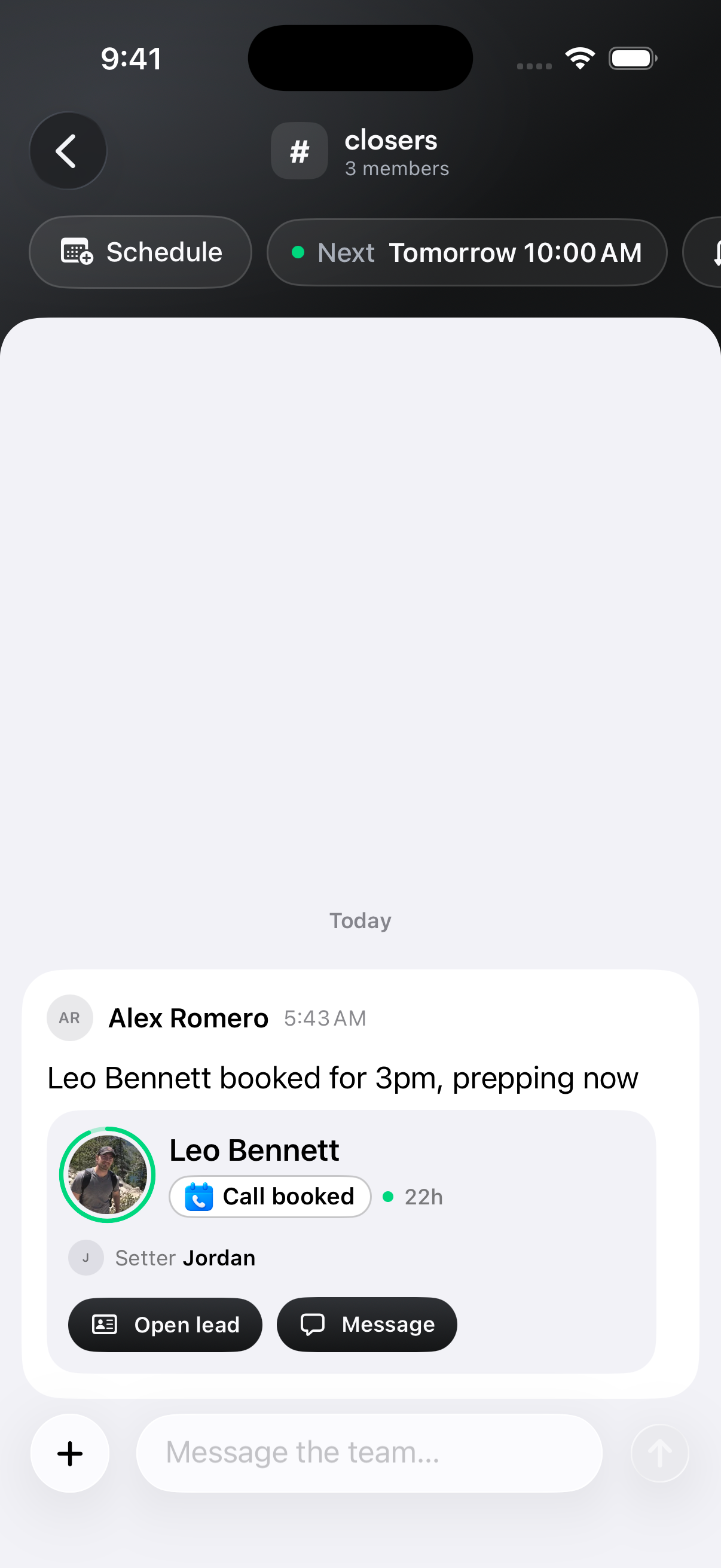
Detail from the actual iPhone team chat.
Accountability starts with a clear record. See the messages and links your teammates sent, the leads they handled and the sales attributed to their work.
| Teammate | Messages | Links sent | Deals | Attributed revenue |
|---|---|---|---|---|
| JJordanSetter | 186 | 24 | 3 | $9,000 |
| ARAlex RomeroCloser | 92 | 12 | 3 | $9,000 |
Example data. A setter and closer can share credit for the same deal; these rows are not additive.
See who sent the message or shared the link. Follow the recorded work back to the teammate involved.
Connect tracked links, conversations and recorded payments to understand the journey around a close.
Spot leads waiting on a teammate and see what happened after ownership changed.
Commission visibility
Give setters and closers a clear view of their commission, based on their rate and the collected payments attributed to them.
Keep upcoming installments separate from money already collected. Your team gets a clearer picture of what’s earned and what’s still ahead.
3 deals · 5% rate
Illustrative earnings. Rates and results depend on your team and collected payments.
Your team needs a way to do their job. You decide what they can see, and your Instagram password stays with you.
Sign in with your own email.
Invite a teammate by email. They sign in to Orren with their own access and join your workspace. You connect Instagram once.
Hide personal threads from the team. They won’t appear in teammates’ inboxes, so you can share the sales work without sharing every conversation.
Every feature included. Choose the plan with room for your team.
7-day trial. Card required.
A few things worth knowing
Team access, lead context and the details that help everyone work together.
Something more specific?
Ask us directlyNo. You connect the business’s Instagram account, then invite teammates to Orren using their own email addresses. They sign in to their own Orren access, so you do not need to share your Instagram password.
Yes. As the owner, you can hide personal conversations from your team. Hidden conversations do not appear in teammates’ inboxes, including for a teammate previously assigned to that lead. The owner controls hiding and unhiding.
Yes. Team notes give you an internal space attached to the lead’s conversation. Discuss the next step, mention a teammate or add an assigned task. Those notes are for your team, not Instagram messages to the lead.
Yes. Keep your day-to-day coordination in team channels and direct conversations. Share lead cards, mention people and keep useful messages close to the work, without moving the discussion into another chat app.
Schedule a meeting from the team chat, choose attendees and include an agenda. With the business’s Google Calendar connected, Orren can create the calendar invitations and Google Meet link. The meeting stays visible in the conversation.
Yes. Setters and closers have a commission view based on their configured rate and the collected payments attributed to them. Upcoming installments are shown separately. This is commission visibility, not a claim that Orren automatically pays your team.
Review recorded messages, shared links, assignments, handoffs and sales activity by teammate. Connect tracked lead activity and attributed payments to the setter or closer involved. Reporting depends on the activity and payment data recorded in Orren.
Yes. Team conversations, lead context and handoffs are available across Mac and iPhone. The screenshots here show the iPhone app. Visit the iPhone page for current TestFlight access details.
We use optional Google Analytics cookies to understand how our website is used and make it better. You can accept or reject these cookies and change your choice anytime. Privacy policy
Your browser’s privacy signal is on. Optional analytics cookies stay off.